457 Karte(n)
Tipp: Halte Strg (PC) gedrückt oder tippe auf mehrere Einträge (Handy).
Bestandteile

ALL ×
Tipp: Halte Strg (PC) gedrückt oder tippe auf mehrere Einträge (Handy).Bestandteile

ALL ×
Tipp: Halte Strg (PC) gedrückt oder tippe auf mehrere Einträge (Handy).Bestandteile

ALL ×
Tipp: Halte Strg (PC) gedrückt oder tippe auf mehrere Einträge (Handy).Bestandteile

ALL ×
Tipp: Halte Strg (PC) gedrückt oder tippe auf mehrere Einträge (Handy).Bestandteile

K1 ×
Tipp: Halte Strg (PC) gedrückt oder tippe auf mehrere Einträge (Handy).Bestandteile

K1 ×
Tipp: Halte Strg (PC) gedrückt oder tippe auf mehrere Einträge (Handy).Bestandteile

OKV_K1 ×
Tipp: Halte Strg (PC) gedrückt oder tippe auf mehrere Einträge (Handy).Bestandteile
K1 ×SENIOR ×
Tipp: Halte Strg (PC) gedrückt oder tippe auf mehrere Einträge (Handy).Bestandteile
K1 ×
Tipp: Halte Strg (PC) gedrückt oder tippe auf mehrere Einträge (Handy).Bestandteile

OKV_K1 ×OKV_SENIOR ×
Tipp: Halte Strg (PC) gedrückt oder tippe auf mehrere Einträge (Handy).Bestandteile
K1 ×SENIOR ×
Tipp: Halte Strg (PC) gedrückt oder tippe auf mehrere Einträge (Handy).Bestandteile
K1 ×
Tipp: Halte Strg (PC) gedrückt oder tippe auf mehrere Einträge (Handy).Bestandteile
OKV_K1 ×
Tipp: Halte Strg (PC) gedrückt oder tippe auf mehrere Einträge (Handy).Bestandteile

K1 ×
Tipp: Halte Strg (PC) gedrückt oder tippe auf mehrere Einträge (Handy).Bestandteile

K1 ×SENIOR ×
Tipp: Halte Strg (PC) gedrückt oder tippe auf mehrere Einträge (Handy).Bestandteile

OKV_K1 ×
Tipp: Halte Strg (PC) gedrückt oder tippe auf mehrere Einträge (Handy).Bestandteile
K1 ×
Tipp: Halte Strg (PC) gedrückt oder tippe auf mehrere Einträge (Handy).Bestandteile
K1 ×SENIOR ×
Tipp: Halte Strg (PC) gedrückt oder tippe auf mehrere Einträge (Handy).Bestandteile

OKV_K1 ×OKV_SENIOR ×
Tipp: Halte Strg (PC) gedrückt oder tippe auf mehrere Einträge (Handy).Bestandteile

K1 ×
Tipp: Halte Strg (PC) gedrückt oder tippe auf mehrere Einträge (Handy).Bestandteile

K1 ×
Tipp: Halte Strg (PC) gedrückt oder tippe auf mehrere Einträge (Handy).Bestandteile

OKV_K1 ×
Tipp: Halte Strg (PC) gedrückt oder tippe auf mehrere Einträge (Handy).Bestandteile
K1 ×SENIOR ×
Tipp: Halte Strg (PC) gedrückt oder tippe auf mehrere Einträge (Handy).Bestandteile
K1 ×
Tipp: Halte Strg (PC) gedrückt oder tippe auf mehrere Einträge (Handy).Bestandteile
OKV_K1 ×
Tipp: Halte Strg (PC) gedrückt oder tippe auf mehrere Einträge (Handy).Bestandteile
K1 ×SENIOR ×
Tipp: Halte Strg (PC) gedrückt oder tippe auf mehrere Einträge (Handy).Bestandteile

OKV_K1 ×
Tipp: Halte Strg (PC) gedrückt oder tippe auf mehrere Einträge (Handy).Bestandteile
K1 ×
Tipp: Halte Strg (PC) gedrückt oder tippe auf mehrere Einträge (Handy).Bestandteile

K1 ×
Tipp: Halte Strg (PC) gedrückt oder tippe auf mehrere Einträge (Handy).Bestandteile

K1 ×SENIOR ×
Tipp: Halte Strg (PC) gedrückt oder tippe auf mehrere Einträge (Handy).Bestandteile

OKV_K1 ×
Tipp: Halte Strg (PC) gedrückt oder tippe auf mehrere Einträge (Handy).Bestandteile

K1 ×
Tipp: Halte Strg (PC) gedrückt oder tippe auf mehrere Einträge (Handy).Bestandteile

K1 ×SENIOR ×
Tipp: Halte Strg (PC) gedrückt oder tippe auf mehrere Einträge (Handy).Bestandteile

OKV_K1 ×
Tipp: Halte Strg (PC) gedrückt oder tippe auf mehrere Einträge (Handy).Bestandteile

K1 ×SENIOR ×
Tipp: Halte Strg (PC) gedrückt oder tippe auf mehrere Einträge (Handy).Bestandteile

K1 ×
Tipp: Halte Strg (PC) gedrückt oder tippe auf mehrere Einträge (Handy).Bestandteile

OKV_K1 ×
Tipp: Halte Strg (PC) gedrückt oder tippe auf mehrere Einträge (Handy).Bestandteile

K1 ×SENIOR ×
Tipp: Halte Strg (PC) gedrückt oder tippe auf mehrere Einträge (Handy).Bestandteile

K1 ×
Tipp: Halte Strg (PC) gedrückt oder tippe auf mehrere Einträge (Handy).Bestandteile

OKV_K1 ×OKV_SENIOR ×
Tipp: Halte Strg (PC) gedrückt oder tippe auf mehrere Einträge (Handy).Bestandteile

K1 ×
Tipp: Halte Strg (PC) gedrückt oder tippe auf mehrere Einträge (Handy).Bestandteile
OKV_K1 ×
Tipp: Halte Strg (PC) gedrückt oder tippe auf mehrere Einträge (Handy).Bestandteile

K1 ×
Tipp: Halte Strg (PC) gedrückt oder tippe auf mehrere Einträge (Handy).Bestandteile

OKV_K1 ×OKV_SENIOR ×
Tipp: Halte Strg (PC) gedrückt oder tippe auf mehrere Einträge (Handy).Bestandteile

K1 ×
Tipp: Halte Strg (PC) gedrückt oder tippe auf mehrere Einträge (Handy).Bestandteile

K1 ×
Tipp: Halte Strg (PC) gedrückt oder tippe auf mehrere Einträge (Handy).Bestandteile

K1 ×
Tipp: Halte Strg (PC) gedrückt oder tippe auf mehrere Einträge (Handy).Bestandteile

OKV_K1 ×
Tipp: Halte Strg (PC) gedrückt oder tippe auf mehrere Einträge (Handy).Bestandteile

K1 ×
Tipp: Halte Strg (PC) gedrückt oder tippe auf mehrere Einträge (Handy).Bestandteile

K1 ×SENIOR ×
Tipp: Halte Strg (PC) gedrückt oder tippe auf mehrere Einträge (Handy).Bestandteile
K1 ×
Tipp: Halte Strg (PC) gedrückt oder tippe auf mehrere Einträge (Handy).Bestandteile

OKV_K1 ×
Tipp: Halte Strg (PC) gedrückt oder tippe auf mehrere Einträge (Handy).Bestandteile
K1 ×SENIOR ×
Tipp: Halte Strg (PC) gedrückt oder tippe auf mehrere Einträge (Handy).Bestandteile
K1 ×
Tipp: Halte Strg (PC) gedrückt oder tippe auf mehrere Einträge (Handy).Bestandteile

OKV_K1 ×
Tipp: Halte Strg (PC) gedrückt oder tippe auf mehrere Einträge (Handy).Bestandteile

K1 ×
Tipp: Halte Strg (PC) gedrückt oder tippe auf mehrere Einträge (Handy).Bestandteile

K1 ×SENIOR ×
Tipp: Halte Strg (PC) gedrückt oder tippe auf mehrere Einträge (Handy).Bestandteile

OKV_K1 ×OKV_SENIOR ×
Tipp: Halte Strg (PC) gedrückt oder tippe auf mehrere Einträge (Handy).Bestandteile

K1 ×SENIOR ×
Tipp: Halte Strg (PC) gedrückt oder tippe auf mehrere Einträge (Handy).Bestandteile
K1 ×
Tipp: Halte Strg (PC) gedrückt oder tippe auf mehrere Einträge (Handy).Bestandteile

OKV_K1 ×
Tipp: Halte Strg (PC) gedrückt oder tippe auf mehrere Einträge (Handy).Bestandteile

K1 ×
Tipp: Halte Strg (PC) gedrückt oder tippe auf mehrere Einträge (Handy).Bestandteile

OKV_K1 ×
Tipp: Halte Strg (PC) gedrückt oder tippe auf mehrere Einträge (Handy).Bestandteile

K1 ×SENIOR ×
Tipp: Halte Strg (PC) gedrückt oder tippe auf mehrere Einträge (Handy).Bestandteile

K1 ×
Tipp: Halte Strg (PC) gedrückt oder tippe auf mehrere Einträge (Handy).Bestandteile
K1 ×
Tipp: Halte Strg (PC) gedrückt oder tippe auf mehrere Einträge (Handy).Bestandteile

OKV_K1 ×OKV_SENIOR ×
Tipp: Halte Strg (PC) gedrückt oder tippe auf mehrere Einträge (Handy).Bestandteile

K1 ×
Tipp: Halte Strg (PC) gedrückt oder tippe auf mehrere Einträge (Handy).Bestandteile
K1 ×
Tipp: Halte Strg (PC) gedrückt oder tippe auf mehrere Einträge (Handy).Bestandteile

OKV_K1 ×
Tipp: Halte Strg (PC) gedrückt oder tippe auf mehrere Einträge (Handy).Bestandteile

K1 ×
Tipp: Halte Strg (PC) gedrückt oder tippe auf mehrere Einträge (Handy).Bestandteile

OKV_K1 ×
Tipp: Halte Strg (PC) gedrückt oder tippe auf mehrere Einträge (Handy).Bestandteile

K1 ×
Tipp: Halte Strg (PC) gedrückt oder tippe auf mehrere Einträge (Handy).Bestandteile
K1 ×
Tipp: Halte Strg (PC) gedrückt oder tippe auf mehrere Einträge (Handy).Bestandteile

K1 ×
Tipp: Halte Strg (PC) gedrückt oder tippe auf mehrere Einträge (Handy).Bestandteile
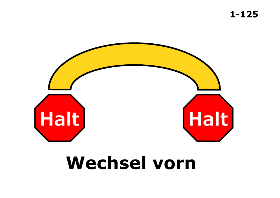
K1 ×
Tipp: Halte Strg (PC) gedrückt oder tippe auf mehrere Einträge (Handy).Bestandteile
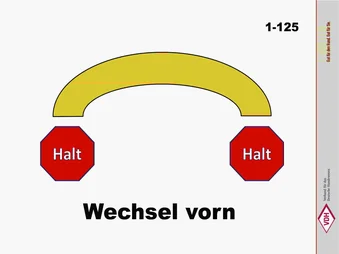
K1 ×
Tipp: Halte Strg (PC) gedrückt oder tippe auf mehrere Einträge (Handy).Bestandteile
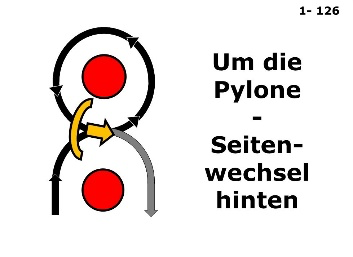
K1 ×
Tipp: Halte Strg (PC) gedrückt oder tippe auf mehrere Einträge (Handy).Bestandteile
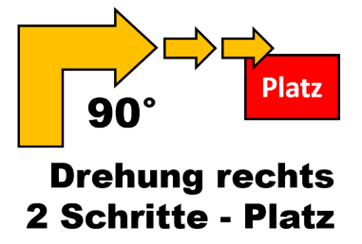
K1 ×
Tipp: Halte Strg (PC) gedrückt oder tippe auf mehrere Einträge (Handy).Bestandteile

K1 ×
Tipp: Halte Strg (PC) gedrückt oder tippe auf mehrere Einträge (Handy).Bestandteile
K1 ×
Tipp: Halte Strg (PC) gedrückt oder tippe auf mehrere Einträge (Handy).Bestandteile
K1 ×
Tipp: Halte Strg (PC) gedrückt oder tippe auf mehrere Einträge (Handy).Bestandteile

ONE_POINT ×
Tipp: Halte Strg (PC) gedrückt oder tippe auf mehrere Einträge (Handy).Bestandteile

ONE_POINT ×
Tipp: Halte Strg (PC) gedrückt oder tippe auf mehrere Einträge (Handy).Bestandteile

ONE_POINT ×
Tipp: Halte Strg (PC) gedrückt oder tippe auf mehrere Einträge (Handy).Bestandteile

ONE_POINT ×
Tipp: Halte Strg (PC) gedrückt oder tippe auf mehrere Einträge (Handy).Bestandteile

ONE_POINT ×
Tipp: Halte Strg (PC) gedrückt oder tippe auf mehrere Einträge (Handy).Bestandteile

ONE_POINT ×
Tipp: Halte Strg (PC) gedrückt oder tippe auf mehrere Einträge (Handy).Bestandteile

ONE_POINT ×
Tipp: Halte Strg (PC) gedrückt oder tippe auf mehrere Einträge (Handy).Bestandteile

ONE_POINT ×
Tipp: Halte Strg (PC) gedrückt oder tippe auf mehrere Einträge (Handy).Bestandteile

ONE_POINT ×
Tipp: Halte Strg (PC) gedrückt oder tippe auf mehrere Einträge (Handy).Bestandteile

ONE_POINT ×
Tipp: Halte Strg (PC) gedrückt oder tippe auf mehrere Einträge (Handy).Bestandteile

ONE_POINT ×
Tipp: Halte Strg (PC) gedrückt oder tippe auf mehrere Einträge (Handy).Bestandteile

ONE_POINT ×
Tipp: Halte Strg (PC) gedrückt oder tippe auf mehrere Einträge (Handy).Bestandteile

ONE_POINT ×
Tipp: Halte Strg (PC) gedrückt oder tippe auf mehrere Einträge (Handy).Bestandteile

ONE_POINT ×
Tipp: Halte Strg (PC) gedrückt oder tippe auf mehrere Einträge (Handy).Bestandteile

ONE_POINT ×
Tipp: Halte Strg (PC) gedrückt oder tippe auf mehrere Einträge (Handy).Bestandteile

ONE_POINT ×
Tipp: Halte Strg (PC) gedrückt oder tippe auf mehrere Einträge (Handy).Bestandteile
ONE_POINT ×
Tipp: Halte Strg (PC) gedrückt oder tippe auf mehrere Einträge (Handy).Bestandteile

ONE_POINT ×
Tipp: Halte Strg (PC) gedrückt oder tippe auf mehrere Einträge (Handy).Bestandteile

ONE_POINT ×
Tipp: Halte Strg (PC) gedrückt oder tippe auf mehrere Einträge (Handy).Bestandteile

ONE_POINT ×
Tipp: Halte Strg (PC) gedrückt oder tippe auf mehrere Einträge (Handy).Bestandteile

ONE_POINT ×
Tipp: Halte Strg (PC) gedrückt oder tippe auf mehrere Einträge (Handy).Bestandteile

ONE_POINT ×
Tipp: Halte Strg (PC) gedrückt oder tippe auf mehrere Einträge (Handy).Bestandteile
K2 ×
Tipp: Halte Strg (PC) gedrückt oder tippe auf mehrere Einträge (Handy).Bestandteile

OKV_K2 ×OKV_SENIOR ×
Tipp: Halte Strg (PC) gedrückt oder tippe auf mehrere Einträge (Handy).Bestandteile
K2 ×
Tipp: Halte Strg (PC) gedrückt oder tippe auf mehrere Einträge (Handy).Bestandteile
K2 ×
Tipp: Halte Strg (PC) gedrückt oder tippe auf mehrere Einträge (Handy).Bestandteile

OKV_K2 ×OKV_SENIOR ×
Tipp: Halte Strg (PC) gedrückt oder tippe auf mehrere Einträge (Handy).Bestandteile

K2 ×
Tipp: Halte Strg (PC) gedrückt oder tippe auf mehrere Einträge (Handy).Bestandteile
K2 ×
Tipp: Halte Strg (PC) gedrückt oder tippe auf mehrere Einträge (Handy).Bestandteile

OKV_K2 ×
Tipp: Halte Strg (PC) gedrückt oder tippe auf mehrere Einträge (Handy).Bestandteile

K2 ×
Tipp: Halte Strg (PC) gedrückt oder tippe auf mehrere Einträge (Handy).Bestandteile
K2 ×
Tipp: Halte Strg (PC) gedrückt oder tippe auf mehrere Einträge (Handy).Bestandteile

OKV_K2 ×
Tipp: Halte Strg (PC) gedrückt oder tippe auf mehrere Einträge (Handy).Bestandteile
K2 ×
Tipp: Halte Strg (PC) gedrückt oder tippe auf mehrere Einträge (Handy).Bestandteile
K2 ×
Tipp: Halte Strg (PC) gedrückt oder tippe auf mehrere Einträge (Handy).Bestandteile

OKV_K2 ×OKV_SENIOR ×
Tipp: Halte Strg (PC) gedrückt oder tippe auf mehrere Einträge (Handy).Bestandteile
K2 ×
Tipp: Halte Strg (PC) gedrückt oder tippe auf mehrere Einträge (Handy).Bestandteile
K2 ×
Tipp: Halte Strg (PC) gedrückt oder tippe auf mehrere Einträge (Handy).Bestandteile

OKV_K2 ×
Tipp: Halte Strg (PC) gedrückt oder tippe auf mehrere Einträge (Handy).Bestandteile

K2 ×
Tipp: Halte Strg (PC) gedrückt oder tippe auf mehrere Einträge (Handy).Bestandteile
K2 ×
Tipp: Halte Strg (PC) gedrückt oder tippe auf mehrere Einträge (Handy).Bestandteile
K2 ×
Tipp: Halte Strg (PC) gedrückt oder tippe auf mehrere Einträge (Handy).Bestandteile
OKV_K2 ×
Tipp: Halte Strg (PC) gedrückt oder tippe auf mehrere Einträge (Handy).Bestandteile

K2 ×SENIOR ×
Tipp: Halte Strg (PC) gedrückt oder tippe auf mehrere Einträge (Handy).Bestandteile

K2 ×
Tipp: Halte Strg (PC) gedrückt oder tippe auf mehrere Einträge (Handy).Bestandteile

OKV_K2 ×
Tipp: Halte Strg (PC) gedrückt oder tippe auf mehrere Einträge (Handy).Bestandteile
K2 ×
Tipp: Halte Strg (PC) gedrückt oder tippe auf mehrere Einträge (Handy).Bestandteile

OKV_K2 ×
Tipp: Halte Strg (PC) gedrückt oder tippe auf mehrere Einträge (Handy).Bestandteile

K2 ×
Tipp: Halte Strg (PC) gedrückt oder tippe auf mehrere Einträge (Handy).Bestandteile

K2 ×
Tipp: Halte Strg (PC) gedrückt oder tippe auf mehrere Einträge (Handy).Bestandteile

OKV_K2 ×
Tipp: Halte Strg (PC) gedrückt oder tippe auf mehrere Einträge (Handy).Bestandteile

K2 ×
Tipp: Halte Strg (PC) gedrückt oder tippe auf mehrere Einträge (Handy).Bestandteile
K2 ×
Tipp: Halte Strg (PC) gedrückt oder tippe auf mehrere Einträge (Handy).Bestandteile
K2 ×
Tipp: Halte Strg (PC) gedrückt oder tippe auf mehrere Einträge (Handy).Bestandteile
OKV_K2 ×
Tipp: Halte Strg (PC) gedrückt oder tippe auf mehrere Einträge (Handy).Bestandteile
K2 ×
Tipp: Halte Strg (PC) gedrückt oder tippe auf mehrere Einträge (Handy).Bestandteile

OKV_K2 ×
Tipp: Halte Strg (PC) gedrückt oder tippe auf mehrere Einträge (Handy).Bestandteile

K2 ×
Tipp: Halte Strg (PC) gedrückt oder tippe auf mehrere Einträge (Handy).Bestandteile
K2 ×
Tipp: Halte Strg (PC) gedrückt oder tippe auf mehrere Einträge (Handy).Bestandteile
OKV_K2 ×
Tipp: Halte Strg (PC) gedrückt oder tippe auf mehrere Einträge (Handy).Bestandteile

K2 ×
Tipp: Halte Strg (PC) gedrückt oder tippe auf mehrere Einträge (Handy).Bestandteile

K2 ×
Tipp: Halte Strg (PC) gedrückt oder tippe auf mehrere Einträge (Handy).Bestandteile
OKV_K2 ×OKV_SENIOR ×
Tipp: Halte Strg (PC) gedrückt oder tippe auf mehrere Einträge (Handy).Bestandteile

K2 ×
Tipp: Halte Strg (PC) gedrückt oder tippe auf mehrere Einträge (Handy).Bestandteile

K2 ×SENIOR ×
Tipp: Halte Strg (PC) gedrückt oder tippe auf mehrere Einträge (Handy).Bestandteile
K2 ×
Tipp: Halte Strg (PC) gedrückt oder tippe auf mehrere Einträge (Handy).Bestandteile

OKV_K2 ×OKV_SENIOR ×
Tipp: Halte Strg (PC) gedrückt oder tippe auf mehrere Einträge (Handy).Bestandteile

K2 ×
Tipp: Halte Strg (PC) gedrückt oder tippe auf mehrere Einträge (Handy).Bestandteile
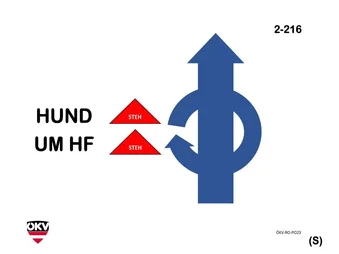
OKV_K2 ×OKV_SENIOR ×
Tipp: Halte Strg (PC) gedrückt oder tippe auf mehrere Einträge (Handy).Bestandteile

K2 ×
Tipp: Halte Strg (PC) gedrückt oder tippe auf mehrere Einträge (Handy).Bestandteile

K2 ×
Tipp: Halte Strg (PC) gedrückt oder tippe auf mehrere Einträge (Handy).Bestandteile
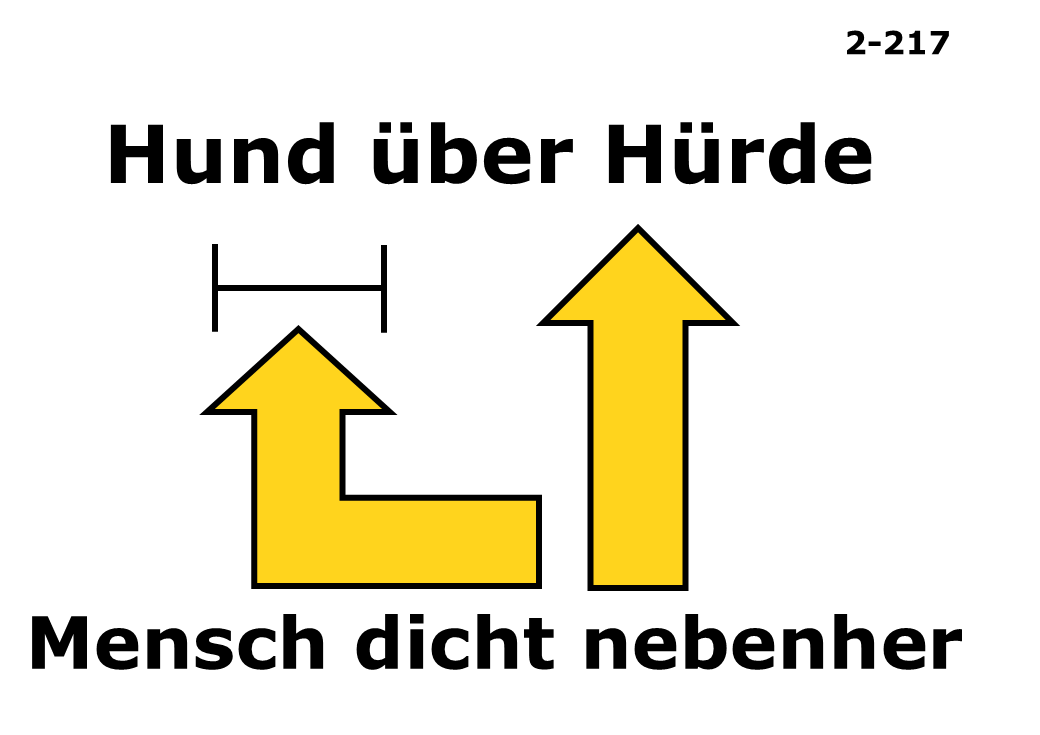
K2 ×
Tipp: Halte Strg (PC) gedrückt oder tippe auf mehrere Einträge (Handy).Bestandteile
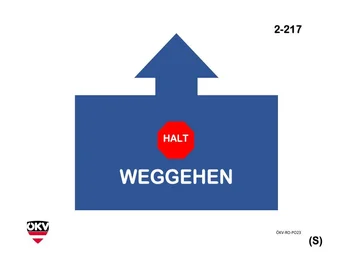
OKV_K2 ×OKV_SENIOR ×
Tipp: Halte Strg (PC) gedrückt oder tippe auf mehrere Einträge (Handy).Bestandteile
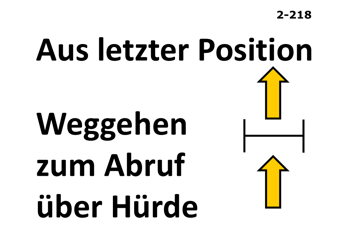
K2 ×
Tipp: Halte Strg (PC) gedrückt oder tippe auf mehrere Einträge (Handy).Bestandteile

OKV_K2 ×
Tipp: Halte Strg (PC) gedrückt oder tippe auf mehrere Einträge (Handy).Bestandteile
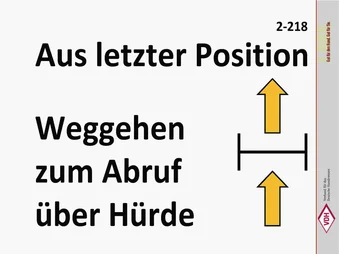
K2 ×
Tipp: Halte Strg (PC) gedrückt oder tippe auf mehrere Einträge (Handy).Bestandteile
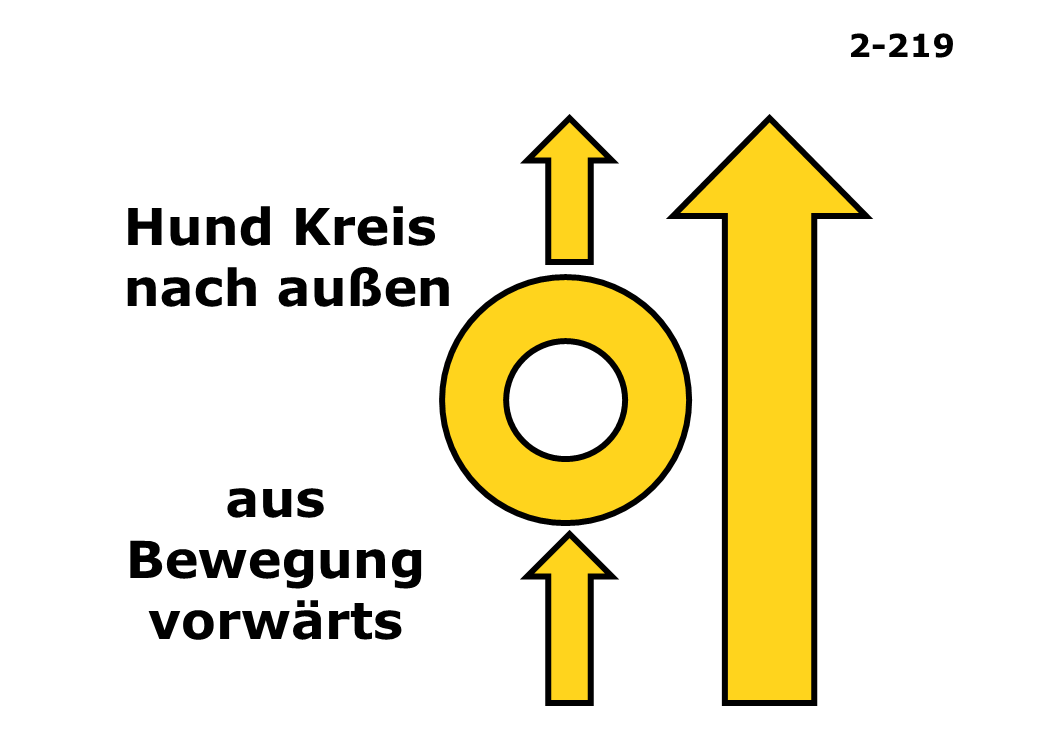
K2 ×
Tipp: Halte Strg (PC) gedrückt oder tippe auf mehrere Einträge (Handy).Bestandteile

OKV_K2 ×OKV_SENIOR ×
Tipp: Halte Strg (PC) gedrückt oder tippe auf mehrere Einträge (Handy).Bestandteile
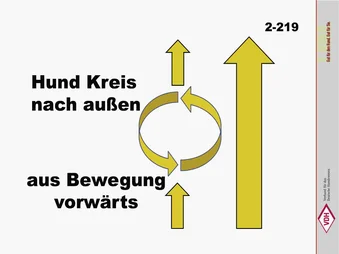
K2 ×
Tipp: Halte Strg (PC) gedrückt oder tippe auf mehrere Einträge (Handy).Bestandteile

K2 ×
Tipp: Halte Strg (PC) gedrückt oder tippe auf mehrere Einträge (Handy).Bestandteile

OKV_K2 ×
Tipp: Halte Strg (PC) gedrückt oder tippe auf mehrere Einträge (Handy).Bestandteile

K2 ×SENIOR ×
Tipp: Halte Strg (PC) gedrückt oder tippe auf mehrere Einträge (Handy).Bestandteile
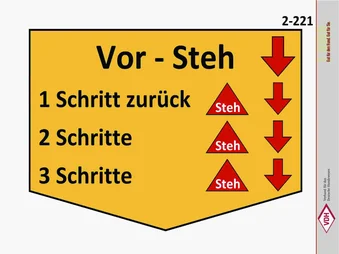
K2 ×SENIOR ×
Tipp: Halte Strg (PC) gedrückt oder tippe auf mehrere Einträge (Handy).Bestandteile
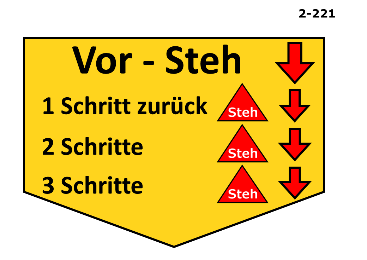
K2 ×
Tipp: Halte Strg (PC) gedrückt oder tippe auf mehrere Einträge (Handy).Bestandteile

OKV_K2 ×OKV_SENIOR ×
Tipp: Halte Strg (PC) gedrückt oder tippe auf mehrere Einträge (Handy).Bestandteile

K2 ×
Tipp: Halte Strg (PC) gedrückt oder tippe auf mehrere Einträge (Handy).Bestandteile
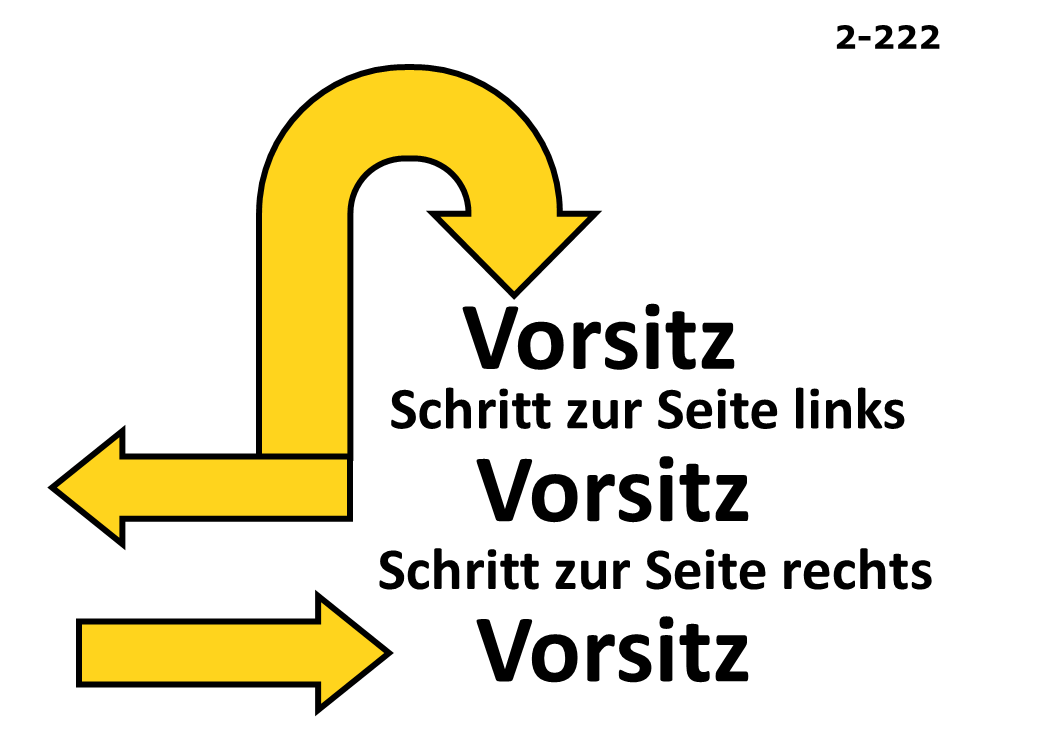
K2 ×
Tipp: Halte Strg (PC) gedrückt oder tippe auf mehrere Einträge (Handy).Bestandteile

OKV_K2 ×OKV_SENIOR ×
Tipp: Halte Strg (PC) gedrückt oder tippe auf mehrere Einträge (Handy).Bestandteile

OKV_K2 ×
Tipp: Halte Strg (PC) gedrückt oder tippe auf mehrere Einträge (Handy).Bestandteile
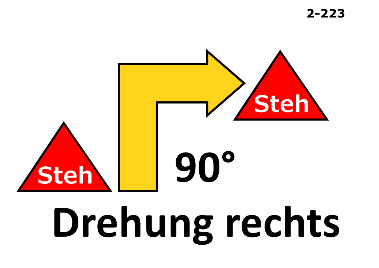
K2 ×
Tipp: Halte Strg (PC) gedrückt oder tippe auf mehrere Einträge (Handy).Bestandteile

K2 ×SENIOR ×
Tipp: Halte Strg (PC) gedrückt oder tippe auf mehrere Einträge (Handy).Bestandteile

K2 ×
Tipp: Halte Strg (PC) gedrückt oder tippe auf mehrere Einträge (Handy).Bestandteile

OKV_K2 ×
Tipp: Halte Strg (PC) gedrückt oder tippe auf mehrere Einträge (Handy).Bestandteile

K2 ×
Tipp: Halte Strg (PC) gedrückt oder tippe auf mehrere Einträge (Handy).Bestandteile
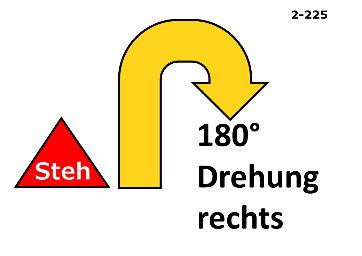
K2 ×
Tipp: Halte Strg (PC) gedrückt oder tippe auf mehrere Einträge (Handy).Bestandteile

OKV_K2 ×
Tipp: Halte Strg (PC) gedrückt oder tippe auf mehrere Einträge (Handy).Bestandteile

K2 ×SENIOR ×
Tipp: Halte Strg (PC) gedrückt oder tippe auf mehrere Einträge (Handy).Bestandteile
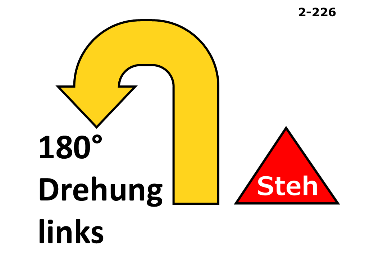
K2 ×
Tipp: Halte Strg (PC) gedrückt oder tippe auf mehrere Einträge (Handy).Bestandteile

OKV_K2 ×
Tipp: Halte Strg (PC) gedrückt oder tippe auf mehrere Einträge (Handy).Bestandteile

K2 ×
Tipp: Halte Strg (PC) gedrückt oder tippe auf mehrere Einträge (Handy).Bestandteile
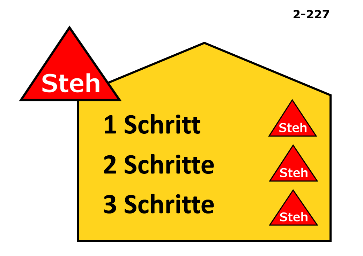
K2 ×
Tipp: Halte Strg (PC) gedrückt oder tippe auf mehrere Einträge (Handy).Bestandteile

OKV_K2 ×OKV_SENIOR ×
Tipp: Halte Strg (PC) gedrückt oder tippe auf mehrere Einträge (Handy).Bestandteile
K2 ×SENIOR ×
Tipp: Halte Strg (PC) gedrückt oder tippe auf mehrere Einträge (Handy).Bestandteile
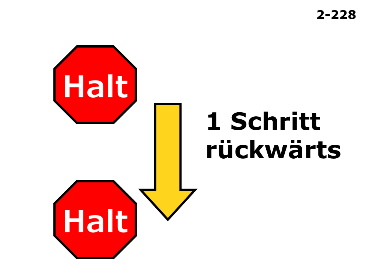
K2 ×
Tipp: Halte Strg (PC) gedrückt oder tippe auf mehrere Einträge (Handy).Bestandteile

OKV_K2 ×OKV_SENIOR ×
Tipp: Halte Strg (PC) gedrückt oder tippe auf mehrere Einträge (Handy).Bestandteile
K2 ×
Tipp: Halte Strg (PC) gedrückt oder tippe auf mehrere Einträge (Handy).Bestandteile
K2 ×
Tipp: Halte Strg (PC) gedrückt oder tippe auf mehrere Einträge (Handy).Bestandteile
K2 ×
Tipp: Halte Strg (PC) gedrückt oder tippe auf mehrere Einträge (Handy).Bestandteile
K2 ×
Tipp: Halte Strg (PC) gedrückt oder tippe auf mehrere Einträge (Handy).Bestandteile
K2 ×SENIOR ×
Tipp: Halte Strg (PC) gedrückt oder tippe auf mehrere Einträge (Handy).Bestandteile
K2 ×SENIOR ×
Tipp: Halte Strg (PC) gedrückt oder tippe auf mehrere Einträge (Handy).Bestandteile
K2 ×
Tipp: Halte Strg (PC) gedrückt oder tippe auf mehrere Einträge (Handy).Bestandteile

K2 ×
Tipp: Halte Strg (PC) gedrückt oder tippe auf mehrere Einträge (Handy).Bestandteile

K2 ×
Tipp: Halte Strg (PC) gedrückt oder tippe auf mehrere Einträge (Handy).Bestandteile
K2 ×
Tipp: Halte Strg (PC) gedrückt oder tippe auf mehrere Einträge (Handy).Bestandteile
K2 ×
Tipp: Halte Strg (PC) gedrückt oder tippe auf mehrere Einträge (Handy).Bestandteile

TWO_POINT ×
Tipp: Halte Strg (PC) gedrückt oder tippe auf mehrere Einträge (Handy).Bestandteile

TWO_POINT ×
Tipp: Halte Strg (PC) gedrückt oder tippe auf mehrere Einträge (Handy).Bestandteile

TWO_POINT ×
Tipp: Halte Strg (PC) gedrückt oder tippe auf mehrere Einträge (Handy).Bestandteile

TWO_POINT ×
Tipp: Halte Strg (PC) gedrückt oder tippe auf mehrere Einträge (Handy).Bestandteile

TWO_POINT ×
Tipp: Halte Strg (PC) gedrückt oder tippe auf mehrere Einträge (Handy).Bestandteile
TWO_POINT ×
Tipp: Halte Strg (PC) gedrückt oder tippe auf mehrere Einträge (Handy).Bestandteile

TWO_POINT ×
Tipp: Halte Strg (PC) gedrückt oder tippe auf mehrere Einträge (Handy).Bestandteile

TWO_POINT ×
Tipp: Halte Strg (PC) gedrückt oder tippe auf mehrere Einträge (Handy).Bestandteile

TWO_POINT ×
Tipp: Halte Strg (PC) gedrückt oder tippe auf mehrere Einträge (Handy).Bestandteile

TWO_POINT ×
Tipp: Halte Strg (PC) gedrückt oder tippe auf mehrere Einträge (Handy).Bestandteile
TWO_POINT ×
Tipp: Halte Strg (PC) gedrückt oder tippe auf mehrere Einträge (Handy).Bestandteile
TWO_POINT ×
Tipp: Halte Strg (PC) gedrückt oder tippe auf mehrere Einträge (Handy).Bestandteile

TWO_POINT ×
Tipp: Halte Strg (PC) gedrückt oder tippe auf mehrere Einträge (Handy).Bestandteile

TWO_POINT ×
Tipp: Halte Strg (PC) gedrückt oder tippe auf mehrere Einträge (Handy).Bestandteile

TWO_POINT ×
Tipp: Halte Strg (PC) gedrückt oder tippe auf mehrere Einträge (Handy).Bestandteile

TWO_POINT ×
Tipp: Halte Strg (PC) gedrückt oder tippe auf mehrere Einträge (Handy).Bestandteile
TWO_POINT ×
Tipp: Halte Strg (PC) gedrückt oder tippe auf mehrere Einträge (Handy).Bestandteile

TWO_POINT ×
Tipp: Halte Strg (PC) gedrückt oder tippe auf mehrere Einträge (Handy).Bestandteile

TWO_POINT ×
Tipp: Halte Strg (PC) gedrückt oder tippe auf mehrere Einträge (Handy).Bestandteile

TWO_POINT ×
Tipp: Halte Strg (PC) gedrückt oder tippe auf mehrere Einträge (Handy).Bestandteile

TWO_POINT ×
Tipp: Halte Strg (PC) gedrückt oder tippe auf mehrere Einträge (Handy).Bestandteile

TWO_POINT ×
Tipp: Halte Strg (PC) gedrückt oder tippe auf mehrere Einträge (Handy).Bestandteile
K3 ×
Tipp: Halte Strg (PC) gedrückt oder tippe auf mehrere Einträge (Handy).Bestandteile

OKV_K3 ×OKV_SENIOR ×
Tipp: Halte Strg (PC) gedrückt oder tippe auf mehrere Einträge (Handy).Bestandteile
K3 ×
Tipp: Halte Strg (PC) gedrückt oder tippe auf mehrere Einträge (Handy).Bestandteile
K3 ×
Tipp: Halte Strg (PC) gedrückt oder tippe auf mehrere Einträge (Handy).Bestandteile

OKV_K3 ×
Tipp: Halte Strg (PC) gedrückt oder tippe auf mehrere Einträge (Handy).Bestandteile

K3 ×
Tipp: Halte Strg (PC) gedrückt oder tippe auf mehrere Einträge (Handy).Bestandteile

K3 ×
Tipp: Halte Strg (PC) gedrückt oder tippe auf mehrere Einträge (Handy).Bestandteile

OKV_K3 ×OKV_SENIOR ×
Tipp: Halte Strg (PC) gedrückt oder tippe auf mehrere Einträge (Handy).Bestandteile

K3 ×SENIOR ×
Tipp: Halte Strg (PC) gedrückt oder tippe auf mehrere Einträge (Handy).Bestandteile

K3 ×
Tipp: Halte Strg (PC) gedrückt oder tippe auf mehrere Einträge (Handy).Bestandteile

OKV_K3 ×
Tipp: Halte Strg (PC) gedrückt oder tippe auf mehrere Einträge (Handy).Bestandteile

K3 ×
Tipp: Halte Strg (PC) gedrückt oder tippe auf mehrere Einträge (Handy).Bestandteile

K3 ×
Tipp: Halte Strg (PC) gedrückt oder tippe auf mehrere Einträge (Handy).Bestandteile
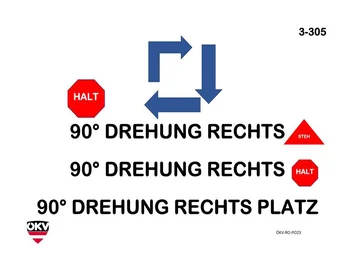
OKV_K3 ×
Tipp: Halte Strg (PC) gedrückt oder tippe auf mehrere Einträge (Handy).Bestandteile

K3 ×
Tipp: Halte Strg (PC) gedrückt oder tippe auf mehrere Einträge (Handy).Bestandteile
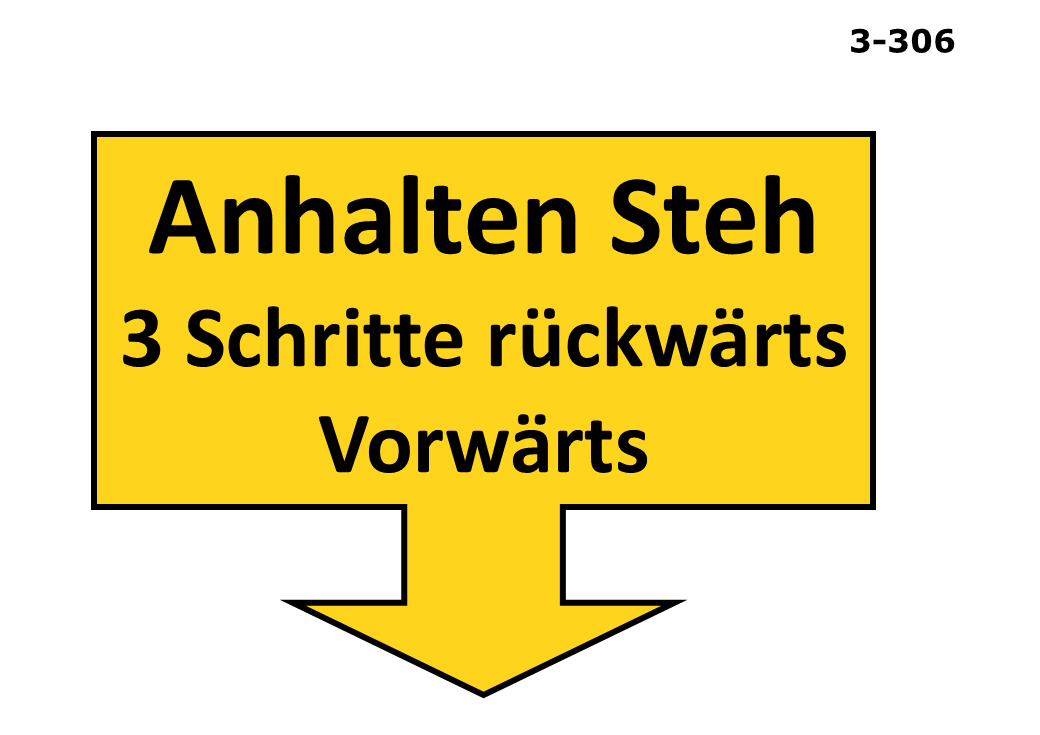
K3 ×
Tipp: Halte Strg (PC) gedrückt oder tippe auf mehrere Einträge (Handy).Bestandteile
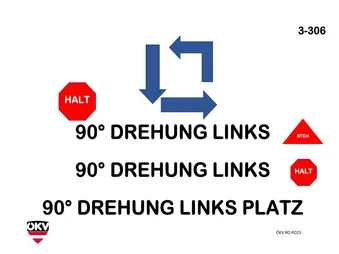
OKV_K3 ×
Tipp: Halte Strg (PC) gedrückt oder tippe auf mehrere Einträge (Handy).Bestandteile

K3 ×
Tipp: Halte Strg (PC) gedrückt oder tippe auf mehrere Einträge (Handy).Bestandteile

K3 ×
Tipp: Halte Strg (PC) gedrückt oder tippe auf mehrere Einträge (Handy).Bestandteile

OKV_K3 ×OKV_SENIOR ×
Tipp: Halte Strg (PC) gedrückt oder tippe auf mehrere Einträge (Handy).Bestandteile

K3 ×SENIOR ×
Tipp: Halte Strg (PC) gedrückt oder tippe auf mehrere Einträge (Handy).Bestandteile
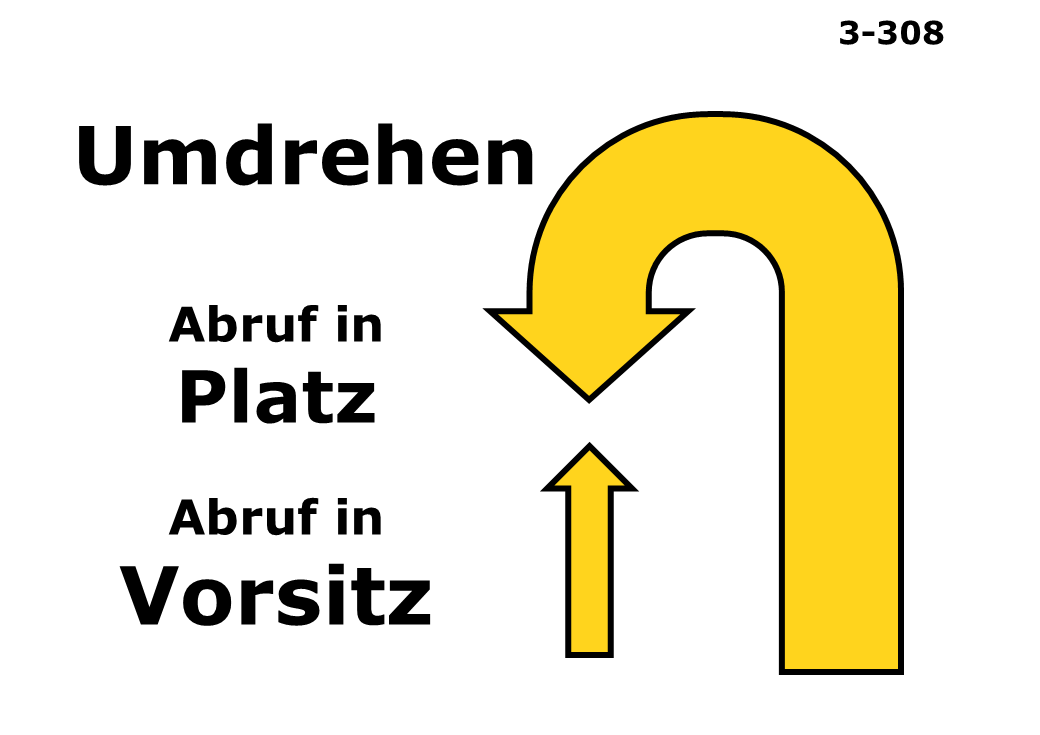
K3 ×
Tipp: Halte Strg (PC) gedrückt oder tippe auf mehrere Einträge (Handy).Bestandteile
K3 ×
Tipp: Halte Strg (PC) gedrückt oder tippe auf mehrere Einträge (Handy).Bestandteile
OKV_K3 ×
Tipp: Halte Strg (PC) gedrückt oder tippe auf mehrere Einträge (Handy).Bestandteile

K3 ×
Tipp: Halte Strg (PC) gedrückt oder tippe auf mehrere Einträge (Handy).Bestandteile
K3 ×
Tipp: Halte Strg (PC) gedrückt oder tippe auf mehrere Einträge (Handy).Bestandteile

OKV_K3 ×OKV_SENIOR ×
Tipp: Halte Strg (PC) gedrückt oder tippe auf mehrere Einträge (Handy).Bestandteile

K3 ×
Tipp: Halte Strg (PC) gedrückt oder tippe auf mehrere Einträge (Handy).Bestandteile

K3 ×
Tipp: Halte Strg (PC) gedrückt oder tippe auf mehrere Einträge (Handy).Bestandteile

OKV_K3 ×
Tipp: Halte Strg (PC) gedrückt oder tippe auf mehrere Einträge (Handy).Bestandteile

K3 ×
Tipp: Halte Strg (PC) gedrückt oder tippe auf mehrere Einträge (Handy).Bestandteile

K3 ×
Tipp: Halte Strg (PC) gedrückt oder tippe auf mehrere Einträge (Handy).Bestandteile

OKV_K3 ×
Tipp: Halte Strg (PC) gedrückt oder tippe auf mehrere Einträge (Handy).Bestandteile

K3 ×
Tipp: Halte Strg (PC) gedrückt oder tippe auf mehrere Einträge (Handy).Bestandteile

K3 ×
Tipp: Halte Strg (PC) gedrückt oder tippe auf mehrere Einträge (Handy).Bestandteile

OKV_K3 ×OKV_SENIOR ×
Tipp: Halte Strg (PC) gedrückt oder tippe auf mehrere Einträge (Handy).Bestandteile
K3 ×
Tipp: Halte Strg (PC) gedrückt oder tippe auf mehrere Einträge (Handy).Bestandteile
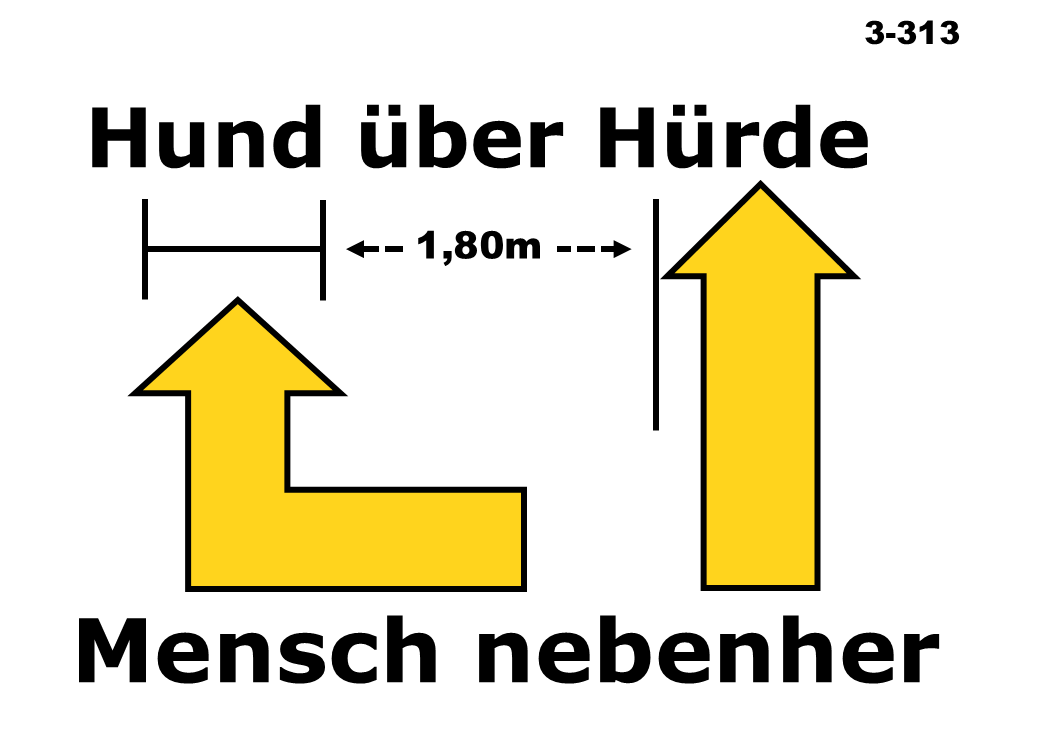
K3 ×
Tipp: Halte Strg (PC) gedrückt oder tippe auf mehrere Einträge (Handy).Bestandteile

OKV_K3 ×OKV_SENIOR ×
Tipp: Halte Strg (PC) gedrückt oder tippe auf mehrere Einträge (Handy).Bestandteile
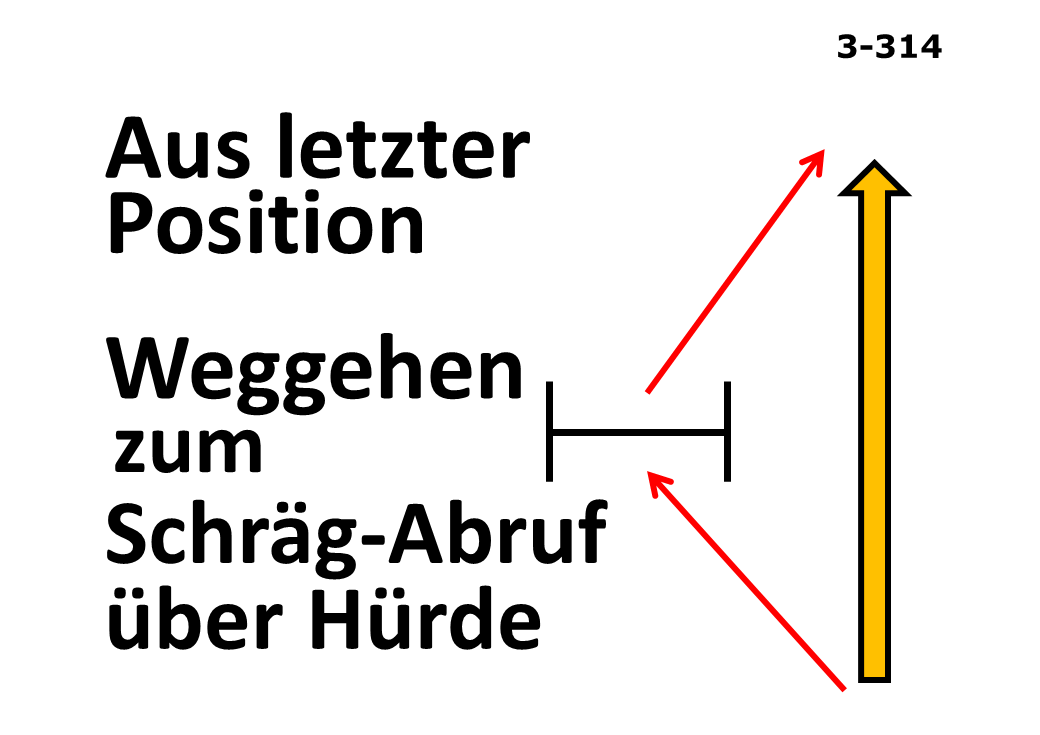
K3 ×
Tipp: Halte Strg (PC) gedrückt oder tippe auf mehrere Einträge (Handy).Bestandteile
K3 ×
Tipp: Halte Strg (PC) gedrückt oder tippe auf mehrere Einträge (Handy).Bestandteile

OKV_K3 ×
Tipp: Halte Strg (PC) gedrückt oder tippe auf mehrere Einträge (Handy).Bestandteile
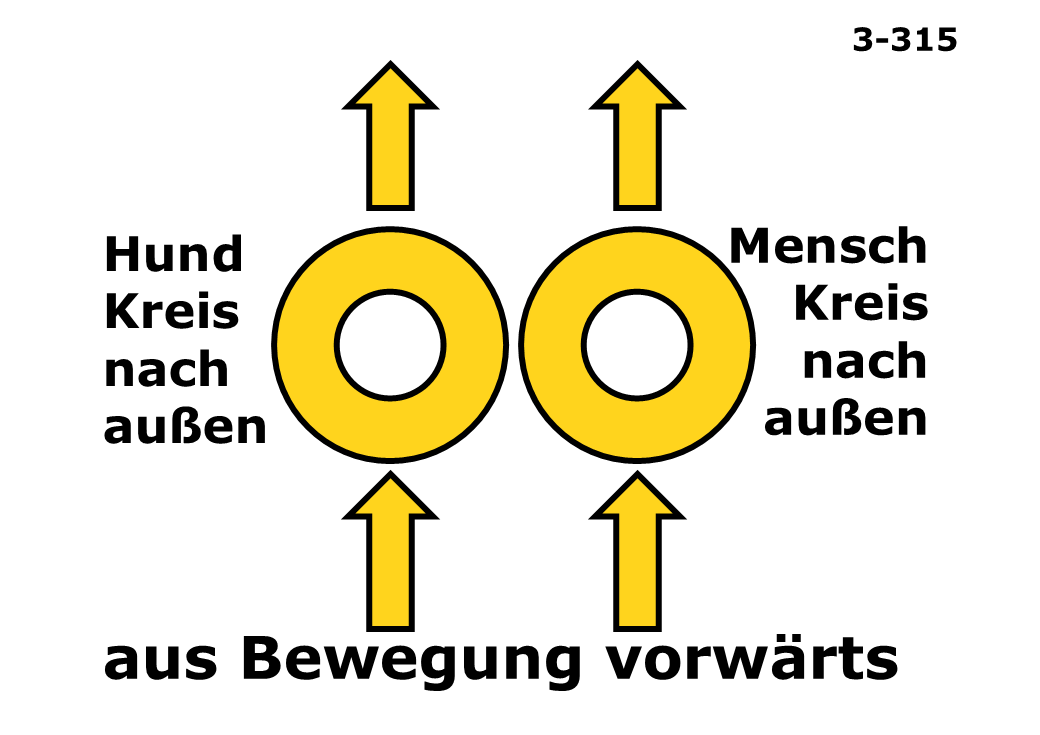
K3 ×
Tipp: Halte Strg (PC) gedrückt oder tippe auf mehrere Einträge (Handy).Bestandteile
K3 ×
Tipp: Halte Strg (PC) gedrückt oder tippe auf mehrere Einträge (Handy).Bestandteile

OKV_K3 ×
Tipp: Halte Strg (PC) gedrückt oder tippe auf mehrere Einträge (Handy).Bestandteile
OKV_K3 ×
Tipp: Halte Strg (PC) gedrückt oder tippe auf mehrere Einträge (Handy).Bestandteile
K3 ×
Tipp: Halte Strg (PC) gedrückt oder tippe auf mehrere Einträge (Handy).Bestandteile

K3 ×
Tipp: Halte Strg (PC) gedrückt oder tippe auf mehrere Einträge (Handy).Bestandteile

K3 ×
Tipp: Halte Strg (PC) gedrückt oder tippe auf mehrere Einträge (Handy).Bestandteile

K3 ×
Tipp: Halte Strg (PC) gedrückt oder tippe auf mehrere Einträge (Handy).Bestandteile

OKV_K3 ×
Tipp: Halte Strg (PC) gedrückt oder tippe auf mehrere Einträge (Handy).Bestandteile

K3 ×SENIOR ×
Tipp: Halte Strg (PC) gedrückt oder tippe auf mehrere Einträge (Handy).Bestandteile
K3 ×
Tipp: Halte Strg (PC) gedrückt oder tippe auf mehrere Einträge (Handy).Bestandteile
OKV_K3 ×
Tipp: Halte Strg (PC) gedrückt oder tippe auf mehrere Einträge (Handy).Bestandteile

K3 ×
Tipp: Halte Strg (PC) gedrückt oder tippe auf mehrere Einträge (Handy).Bestandteile

K3 ×
Tipp: Halte Strg (PC) gedrückt oder tippe auf mehrere Einträge (Handy).Bestandteile
OKV_K3 ×
Tipp: Halte Strg (PC) gedrückt oder tippe auf mehrere Einträge (Handy).Bestandteile
K3 ×
Tipp: Halte Strg (PC) gedrückt oder tippe auf mehrere Einträge (Handy).Bestandteile

K3 ×
Tipp: Halte Strg (PC) gedrückt oder tippe auf mehrere Einträge (Handy).Bestandteile
OKV_K3 ×
Tipp: Halte Strg (PC) gedrückt oder tippe auf mehrere Einträge (Handy).Bestandteile
K3 ×
Tipp: Halte Strg (PC) gedrückt oder tippe auf mehrere Einträge (Handy).Bestandteile

K3 ×
Tipp: Halte Strg (PC) gedrückt oder tippe auf mehrere Einträge (Handy).Bestandteile

OKV_K3 ×
Tipp: Halte Strg (PC) gedrückt oder tippe auf mehrere Einträge (Handy).Bestandteile
K3 ×
Tipp: Halte Strg (PC) gedrückt oder tippe auf mehrere Einträge (Handy).Bestandteile

K3 ×
Tipp: Halte Strg (PC) gedrückt oder tippe auf mehrere Einträge (Handy).Bestandteile

OKV_K3 ×OKV_SENIOR ×
Tipp: Halte Strg (PC) gedrückt oder tippe auf mehrere Einträge (Handy).Bestandteile
K3 ×
Tipp: Halte Strg (PC) gedrückt oder tippe auf mehrere Einträge (Handy).Bestandteile

K3 ×
Tipp: Halte Strg (PC) gedrückt oder tippe auf mehrere Einträge (Handy).Bestandteile

OKV_K3 ×
Tipp: Halte Strg (PC) gedrückt oder tippe auf mehrere Einträge (Handy).Bestandteile
K3 ×
Tipp: Halte Strg (PC) gedrückt oder tippe auf mehrere Einträge (Handy).Bestandteile
K3 ×
Tipp: Halte Strg (PC) gedrückt oder tippe auf mehrere Einträge (Handy).Bestandteile

OKV_K3 ×
Tipp: Halte Strg (PC) gedrückt oder tippe auf mehrere Einträge (Handy).Bestandteile

K3 ×
Tipp: Halte Strg (PC) gedrückt oder tippe auf mehrere Einträge (Handy).Bestandteile

K3 ×
Tipp: Halte Strg (PC) gedrückt oder tippe auf mehrere Einträge (Handy).Bestandteile

OKV_K3 ×
Tipp: Halte Strg (PC) gedrückt oder tippe auf mehrere Einträge (Handy).Bestandteile

K3 ×
Tipp: Halte Strg (PC) gedrückt oder tippe auf mehrere Einträge (Handy).Bestandteile

K3 ×
Tipp: Halte Strg (PC) gedrückt oder tippe auf mehrere Einträge (Handy).Bestandteile

OKV_K3 ×
Tipp: Halte Strg (PC) gedrückt oder tippe auf mehrere Einträge (Handy).Bestandteile

K3 ×
Tipp: Halte Strg (PC) gedrückt oder tippe auf mehrere Einträge (Handy).Bestandteile

K3 ×
Tipp: Halte Strg (PC) gedrückt oder tippe auf mehrere Einträge (Handy).Bestandteile

K3 ×
Tipp: Halte Strg (PC) gedrückt oder tippe auf mehrere Einträge (Handy).Bestandteile
K3 ×
Tipp: Halte Strg (PC) gedrückt oder tippe auf mehrere Einträge (Handy).Bestandteile

K3 ×
Tipp: Halte Strg (PC) gedrückt oder tippe auf mehrere Einträge (Handy).Bestandteile

K3 ×
Tipp: Halte Strg (PC) gedrückt oder tippe auf mehrere Einträge (Handy).Bestandteile

K3 ×
Tipp: Halte Strg (PC) gedrückt oder tippe auf mehrere Einträge (Handy).Bestandteile

THREE_POINT ×
Tipp: Halte Strg (PC) gedrückt oder tippe auf mehrere Einträge (Handy).Bestandteile

THREE_POINT ×
Tipp: Halte Strg (PC) gedrückt oder tippe auf mehrere Einträge (Handy).Bestandteile

THREE_POINT ×
Tipp: Halte Strg (PC) gedrückt oder tippe auf mehrere Einträge (Handy).Bestandteile

THREE_POINT ×
Tipp: Halte Strg (PC) gedrückt oder tippe auf mehrere Einträge (Handy).Bestandteile

THREE_POINT ×
Tipp: Halte Strg (PC) gedrückt oder tippe auf mehrere Einträge (Handy).Bestandteile

THREE_POINT ×
Tipp: Halte Strg (PC) gedrückt oder tippe auf mehrere Einträge (Handy).Bestandteile

THREE_POINT ×
Tipp: Halte Strg (PC) gedrückt oder tippe auf mehrere Einträge (Handy).Bestandteile

THREE_POINT ×
Tipp: Halte Strg (PC) gedrückt oder tippe auf mehrere Einträge (Handy).Bestandteile

THREE_POINT ×
Tipp: Halte Strg (PC) gedrückt oder tippe auf mehrere Einträge (Handy).Bestandteile

THREE_POINT ×
Tipp: Halte Strg (PC) gedrückt oder tippe auf mehrere Einträge (Handy).Bestandteile

THREE_POINT ×
Tipp: Halte Strg (PC) gedrückt oder tippe auf mehrere Einträge (Handy).Bestandteile

THREE_POINT ×
Tipp: Halte Strg (PC) gedrückt oder tippe auf mehrere Einträge (Handy).Bestandteile

THREE_POINT ×
Tipp: Halte Strg (PC) gedrückt oder tippe auf mehrere Einträge (Handy).Bestandteile

THREE_POINT ×
Tipp: Halte Strg (PC) gedrückt oder tippe auf mehrere Einträge (Handy).Bestandteile

THREE_POINT ×
Tipp: Halte Strg (PC) gedrückt oder tippe auf mehrere Einträge (Handy).Bestandteile

THREE_POINT ×
Tipp: Halte Strg (PC) gedrückt oder tippe auf mehrere Einträge (Handy).Bestandteile

THREE_POINT ×
Tipp: Halte Strg (PC) gedrückt oder tippe auf mehrere Einträge (Handy).Bestandteile

THREE_POINT ×
Tipp: Halte Strg (PC) gedrückt oder tippe auf mehrere Einträge (Handy).Bestandteile

THREE_POINT ×
Tipp: Halte Strg (PC) gedrückt oder tippe auf mehrere Einträge (Handy).Bestandteile

THREE_POINT ×
Tipp: Halte Strg (PC) gedrückt oder tippe auf mehrere Einträge (Handy).Bestandteile

THREE_POINT ×
Tipp: Halte Strg (PC) gedrückt oder tippe auf mehrere Einträge (Handy).Bestandteile

THREE_POINT ×
Tipp: Halte Strg (PC) gedrückt oder tippe auf mehrere Einträge (Handy).Bestandteile

THREE_POINT ×
Tipp: Halte Strg (PC) gedrückt oder tippe auf mehrere Einträge (Handy).Bestandteile

THREE_POINT ×
Tipp: Halte Strg (PC) gedrückt oder tippe auf mehrere Einträge (Handy).Bestandteile

THREE_POINT ×
Tipp: Halte Strg (PC) gedrückt oder tippe auf mehrere Einträge (Handy).Bestandteile

FOUR_POINT ×
Tipp: Halte Strg (PC) gedrückt oder tippe auf mehrere Einträge (Handy).Bestandteile

FOUR_POINT ×
Tipp: Halte Strg (PC) gedrückt oder tippe auf mehrere Einträge (Handy).Bestandteile

FOUR_POINT ×
Tipp: Halte Strg (PC) gedrückt oder tippe auf mehrere Einträge (Handy).Bestandteile

FOUR_POINT ×
Tipp: Halte Strg (PC) gedrückt oder tippe auf mehrere Einträge (Handy).Bestandteile

FOUR_POINT ×
Tipp: Halte Strg (PC) gedrückt oder tippe auf mehrere Einträge (Handy).Bestandteile

FOUR_POINT ×
Tipp: Halte Strg (PC) gedrückt oder tippe auf mehrere Einträge (Handy).Bestandteile

FOUR_POINT ×
Tipp: Halte Strg (PC) gedrückt oder tippe auf mehrere Einträge (Handy).Bestandteile

FOUR_POINT ×
Tipp: Halte Strg (PC) gedrückt oder tippe auf mehrere Einträge (Handy).Bestandteile

FOUR_POINT ×
Tipp: Halte Strg (PC) gedrückt oder tippe auf mehrere Einträge (Handy).Bestandteile

FOUR_POINT ×
Tipp: Halte Strg (PC) gedrückt oder tippe auf mehrere Einträge (Handy).Bestandteile

FOUR_POINT ×
Tipp: Halte Strg (PC) gedrückt oder tippe auf mehrere Einträge (Handy).Bestandteile

FOUR_POINT ×
Tipp: Halte Strg (PC) gedrückt oder tippe auf mehrere Einträge (Handy).Bestandteile
FOUR_POINT ×
Tipp: Halte Strg (PC) gedrückt oder tippe auf mehrere Einträge (Handy).Bestandteile

FOUR_POINT ×
Tipp: Halte Strg (PC) gedrückt oder tippe auf mehrere Einträge (Handy).Bestandteile

FOUR_POINT ×
Tipp: Halte Strg (PC) gedrückt oder tippe auf mehrere Einträge (Handy).Bestandteile

FOUR_POINT ×
Tipp: Halte Strg (PC) gedrückt oder tippe auf mehrere Einträge (Handy).Bestandteile

FOUR_POINT ×
Tipp: Halte Strg (PC) gedrückt oder tippe auf mehrere Einträge (Handy).Bestandteile

FOUR_POINT ×
Tipp: Halte Strg (PC) gedrückt oder tippe auf mehrere Einträge (Handy).Bestandteile

FOUR_POINT ×
Tipp: Halte Strg (PC) gedrückt oder tippe auf mehrere Einträge (Handy).Bestandteile

FOUR_POINT ×
Tipp: Halte Strg (PC) gedrückt oder tippe auf mehrere Einträge (Handy).Bestandteile
BEGINNER ×SENIOR ×
Tipp: Halte Strg (PC) gedrückt oder tippe auf mehrere Einträge (Handy).Bestandteile
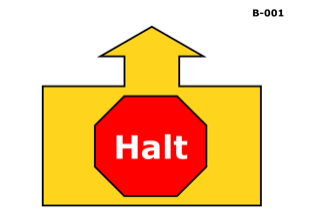
BEGINNER ×
Tipp: Halte Strg (PC) gedrückt oder tippe auf mehrere Einträge (Handy).Bestandteile
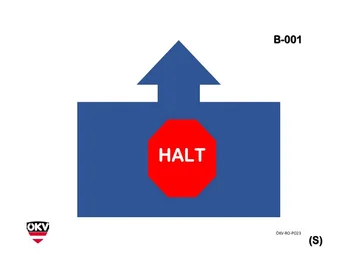
OKV_BEGINNER ×OKV_SENIOR ×
Tipp: Halte Strg (PC) gedrückt oder tippe auf mehrere Einträge (Handy).Bestandteile
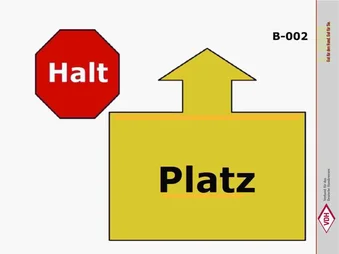
BEGINNER ×SENIOR ×
Tipp: Halte Strg (PC) gedrückt oder tippe auf mehrere Einträge (Handy).Bestandteile
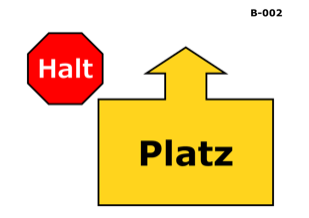
BEGINNER ×
Tipp: Halte Strg (PC) gedrückt oder tippe auf mehrere Einträge (Handy).Bestandteile
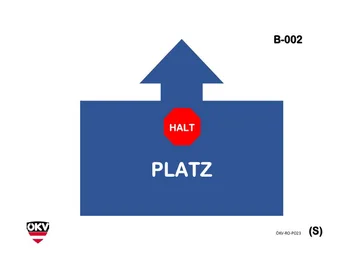
OKV_BEGINNER ×OKV_SENIOR ×
Tipp: Halte Strg (PC) gedrückt oder tippe auf mehrere Einträge (Handy).Bestandteile
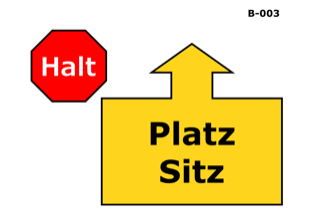
BEGINNER ×
Tipp: Halte Strg (PC) gedrückt oder tippe auf mehrere Einträge (Handy).Bestandteile

BEGINNER ×
Tipp: Halte Strg (PC) gedrückt oder tippe auf mehrere Einträge (Handy).Bestandteile

OKV_BEGINNER ×
Tipp: Halte Strg (PC) gedrückt oder tippe auf mehrere Einträge (Handy).Bestandteile
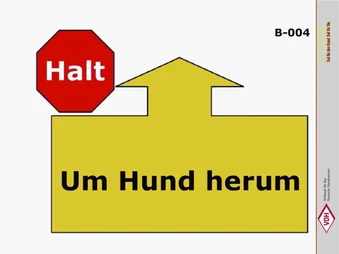
BEGINNER ×SENIOR ×
Tipp: Halte Strg (PC) gedrückt oder tippe auf mehrere Einträge (Handy).Bestandteile
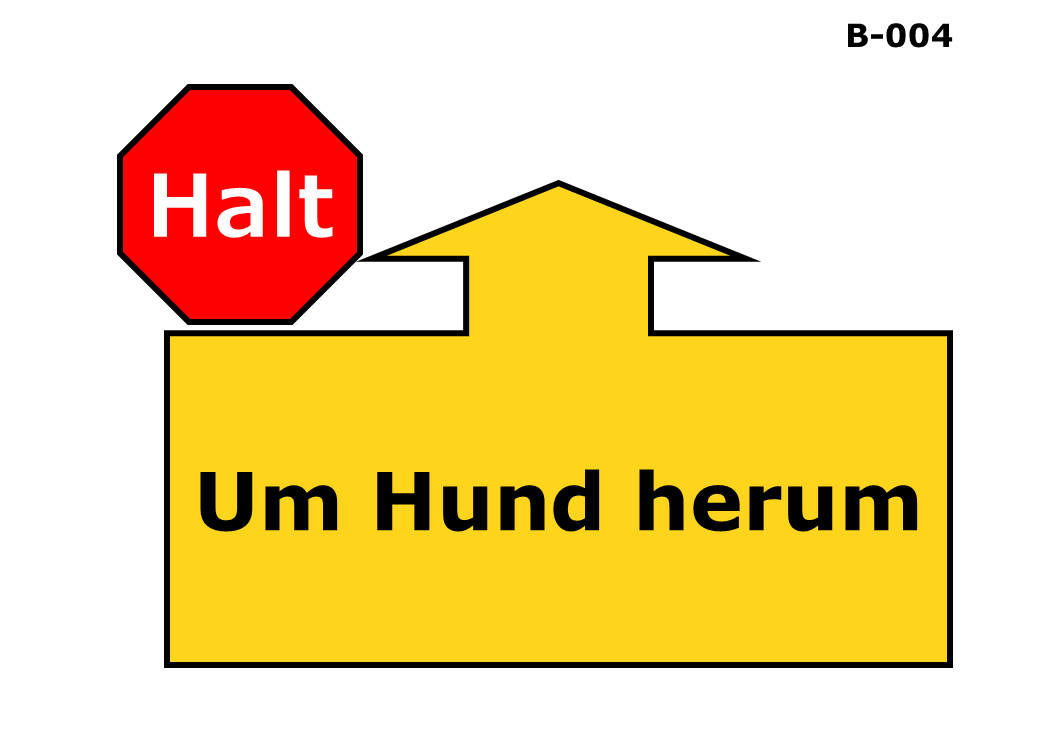
BEGINNER ×
Tipp: Halte Strg (PC) gedrückt oder tippe auf mehrere Einträge (Handy).Bestandteile

OKV_BEGINNER ×OKV_SENIOR ×
Tipp: Halte Strg (PC) gedrückt oder tippe auf mehrere Einträge (Handy).Bestandteile

BEGINNER ×SENIOR ×
Tipp: Halte Strg (PC) gedrückt oder tippe auf mehrere Einträge (Handy).Bestandteile
BEGINNER ×
Tipp: Halte Strg (PC) gedrückt oder tippe auf mehrere Einträge (Handy).Bestandteile

OKV_BEGINNER ×
Tipp: Halte Strg (PC) gedrückt oder tippe auf mehrere Einträge (Handy).Bestandteile

BEGINNER ×
Tipp: Halte Strg (PC) gedrückt oder tippe auf mehrere Einträge (Handy).Bestandteile

OKV_BEGINNER ×OKV_SENIOR ×
Tipp: Halte Strg (PC) gedrückt oder tippe auf mehrere Einträge (Handy).Bestandteile

BEGINNER ×SENIOR ×
Tipp: Halte Strg (PC) gedrückt oder tippe auf mehrere Einträge (Handy).Bestandteile

BEGINNER ×
Tipp: Halte Strg (PC) gedrückt oder tippe auf mehrere Einträge (Handy).Bestandteile

BEGINNER ×SENIOR ×
Tipp: Halte Strg (PC) gedrückt oder tippe auf mehrere Einträge (Handy).Bestandteile

OKV_BEGINNER ×OKV_SENIOR ×
Tipp: Halte Strg (PC) gedrückt oder tippe auf mehrere Einträge (Handy).Bestandteile

BEGINNER ×
Tipp: Halte Strg (PC) gedrückt oder tippe auf mehrere Einträge (Handy).Bestandteile

BEGINNER ×SENIOR ×
Tipp: Halte Strg (PC) gedrückt oder tippe auf mehrere Einträge (Handy).Bestandteile

OKV_BEGINNER ×OKV_SENIOR ×
Tipp: Halte Strg (PC) gedrückt oder tippe auf mehrere Einträge (Handy).Bestandteile

BEGINNER ×
Tipp: Halte Strg (PC) gedrückt oder tippe auf mehrere Einträge (Handy).Bestandteile

BEGINNER ×
Tipp: Halte Strg (PC) gedrückt oder tippe auf mehrere Einträge (Handy).Bestandteile

OKV_BEGINNER ×OKV_SENIOR ×
Tipp: Halte Strg (PC) gedrückt oder tippe auf mehrere Einträge (Handy).Bestandteile

BEGINNER ×SENIOR ×
Tipp: Halte Strg (PC) gedrückt oder tippe auf mehrere Einträge (Handy).Bestandteile

BEGINNER ×
Tipp: Halte Strg (PC) gedrückt oder tippe auf mehrere Einträge (Handy).Bestandteile

OKV_BEGINNER ×OKV_SENIOR ×
Tipp: Halte Strg (PC) gedrückt oder tippe auf mehrere Einträge (Handy).Bestandteile

BEGINNER ×SENIOR ×
Tipp: Halte Strg (PC) gedrückt oder tippe auf mehrere Einträge (Handy).Bestandteile

BEGINNER ×
Tipp: Halte Strg (PC) gedrückt oder tippe auf mehrere Einträge (Handy).Bestandteile

OKV_BEGINNER ×OKV_SENIOR ×
Tipp: Halte Strg (PC) gedrückt oder tippe auf mehrere Einträge (Handy).Bestandteile

BEGINNER ×
Tipp: Halte Strg (PC) gedrückt oder tippe auf mehrere Einträge (Handy).Bestandteile

OKV_BEGINNER ×OKV_SENIOR ×
Tipp: Halte Strg (PC) gedrückt oder tippe auf mehrere Einträge (Handy).Bestandteile

BEGINNER ×
Tipp: Halte Strg (PC) gedrückt oder tippe auf mehrere Einträge (Handy).Bestandteile

BEGINNER ×
Tipp: Halte Strg (PC) gedrückt oder tippe auf mehrere Einträge (Handy).Bestandteile

OKV_BEGINNER ×OKV_SENIOR ×
Tipp: Halte Strg (PC) gedrückt oder tippe auf mehrere Einträge (Handy).Bestandteile

BEGINNER ×SENIOR ×
Tipp: Halte Strg (PC) gedrückt oder tippe auf mehrere Einträge (Handy).Bestandteile

BEGINNER ×
Tipp: Halte Strg (PC) gedrückt oder tippe auf mehrere Einträge (Handy).Bestandteile

BEGINNER ×SENIOR ×
Tipp: Halte Strg (PC) gedrückt oder tippe auf mehrere Einträge (Handy).Bestandteile

OKV_BEGINNER ×
Tipp: Halte Strg (PC) gedrückt oder tippe auf mehrere Einträge (Handy).Bestandteile

BEGINNER ×
Tipp: Halte Strg (PC) gedrückt oder tippe auf mehrere Einträge (Handy).Bestandteile

OKV_BEGINNER ×OKV_SENIOR ×
Tipp: Halte Strg (PC) gedrückt oder tippe auf mehrere Einträge (Handy).Bestandteile

BEGINNER ×SENIOR ×
Tipp: Halte Strg (PC) gedrückt oder tippe auf mehrere Einträge (Handy).Bestandteile

BEGINNER ×
Tipp: Halte Strg (PC) gedrückt oder tippe auf mehrere Einträge (Handy).Bestandteile

OKV_BEGINNER ×
Tipp: Halte Strg (PC) gedrückt oder tippe auf mehrere Einträge (Handy).Bestandteile

BEGINNER ×SENIOR ×
Tipp: Halte Strg (PC) gedrückt oder tippe auf mehrere Einträge (Handy).Bestandteile

BEGINNER ×SENIOR ×
Tipp: Halte Strg (PC) gedrückt oder tippe auf mehrere Einträge (Handy).Bestandteile

BEGINNER ×
Tipp: Halte Strg (PC) gedrückt oder tippe auf mehrere Einträge (Handy).Bestandteile

OKV_BEGINNER ×OKV_SENIOR ×
Tipp: Halte Strg (PC) gedrückt oder tippe auf mehrere Einträge (Handy).Bestandteile

BEGINNER ×SENIOR ×
Tipp: Halte Strg (PC) gedrückt oder tippe auf mehrere Einträge (Handy).Bestandteile

BEGINNER ×
Tipp: Halte Strg (PC) gedrückt oder tippe auf mehrere Einträge (Handy).Bestandteile

OKV_BEGINNER ×OKV_SENIOR ×
Tipp: Halte Strg (PC) gedrückt oder tippe auf mehrere Einträge (Handy).Bestandteile

BEGINNER ×SENIOR ×
Tipp: Halte Strg (PC) gedrückt oder tippe auf mehrere Einträge (Handy).Bestandteile

BEGINNER ×
Tipp: Halte Strg (PC) gedrückt oder tippe auf mehrere Einträge (Handy).Bestandteile

OKV_BEGINNER ×
Tipp: Halte Strg (PC) gedrückt oder tippe auf mehrere Einträge (Handy).Bestandteile

BEGINNER ×
Tipp: Halte Strg (PC) gedrückt oder tippe auf mehrere Einträge (Handy).Bestandteile

OKV_BEGINNER ×OKV_SENIOR ×
Tipp: Halte Strg (PC) gedrückt oder tippe auf mehrere Einträge (Handy).Bestandteile

BEGINNER ×SENIOR ×
Tipp: Halte Strg (PC) gedrückt oder tippe auf mehrere Einträge (Handy).Bestandteile

BEGINNER ×SENIOR ×
Tipp: Halte Strg (PC) gedrückt oder tippe auf mehrere Einträge (Handy).Bestandteile

BEGINNER ×
Tipp: Halte Strg (PC) gedrückt oder tippe auf mehrere Einträge (Handy).Bestandteile

OKV_BEGINNER ×OKV_SENIOR ×
Tipp: Halte Strg (PC) gedrückt oder tippe auf mehrere Einträge (Handy).Bestandteile
BEGINNER ×
Tipp: Halte Strg (PC) gedrückt oder tippe auf mehrere Einträge (Handy).Bestandteile
BEGINNER ×SENIOR ×
Tipp: Halte Strg (PC) gedrückt oder tippe auf mehrere Einträge (Handy).Bestandteile

OKV_BEGINNER ×OKV_SENIOR ×
Tipp: Halte Strg (PC) gedrückt oder tippe auf mehrere Einträge (Handy).Bestandteile
BEGINNER ×
Tipp: Halte Strg (PC) gedrückt oder tippe auf mehrere Einträge (Handy).Bestandteile

OKV_BEGINNER ×OKV_SENIOR ×
Tipp: Halte Strg (PC) gedrückt oder tippe auf mehrere Einträge (Handy).Bestandteile
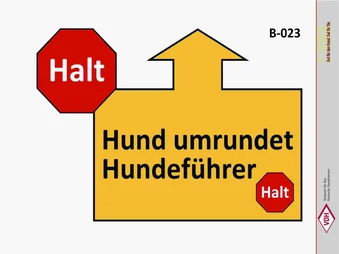
BEGINNER ×SENIOR ×
Tipp: Halte Strg (PC) gedrückt oder tippe auf mehrere Einträge (Handy).Bestandteile
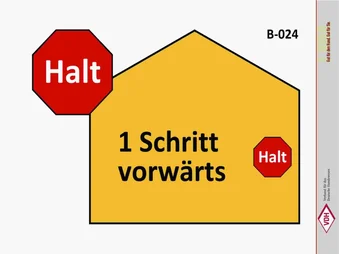
BEGINNER ×SENIOR ×
Tipp: Halte Strg (PC) gedrückt oder tippe auf mehrere Einträge (Handy).Bestandteile
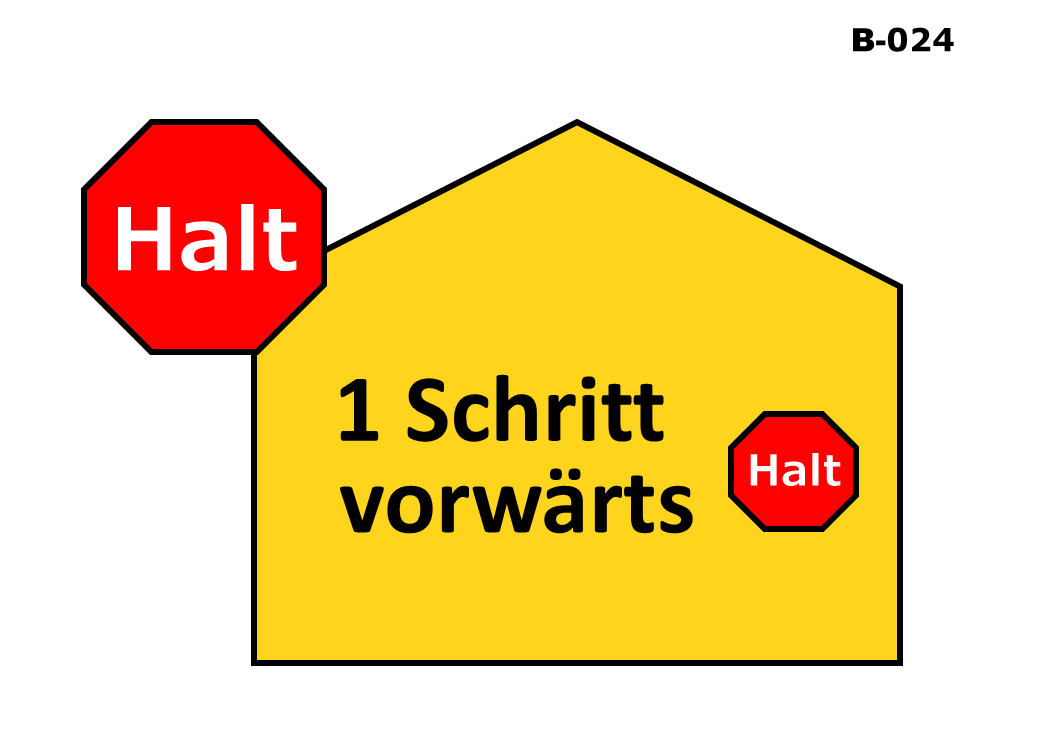
BEGINNER ×
Tipp: Halte Strg (PC) gedrückt oder tippe auf mehrere Einträge (Handy).Bestandteile

OKV_BEGINNER ×OKV_SENIOR ×
Tipp: Halte Strg (PC) gedrückt oder tippe auf mehrere Einträge (Handy).Bestandteile

BEGINNER ×SENIOR ×
Tipp: Halte Strg (PC) gedrückt oder tippe auf mehrere Einträge (Handy).Bestandteile
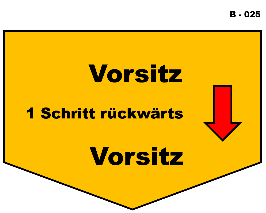
BEGINNER ×
Tipp: Halte Strg (PC) gedrückt oder tippe auf mehrere Einträge (Handy).Bestandteile

OKV_BEGINNER ×
Tipp: Halte Strg (PC) gedrückt oder tippe auf mehrere Einträge (Handy).Bestandteile
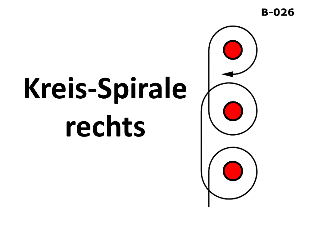
BEGINNER ×
Tipp: Halte Strg (PC) gedrückt oder tippe auf mehrere Einträge (Handy).Bestandteile

OKV_BEGINNER ×
Tipp: Halte Strg (PC) gedrückt oder tippe auf mehrere Einträge (Handy).Bestandteile
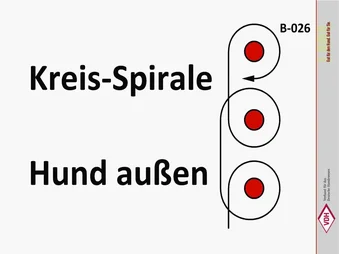
BEGINNER ×SENIOR ×
Tipp: Halte Strg (PC) gedrückt oder tippe auf mehrere Einträge (Handy).Bestandteile
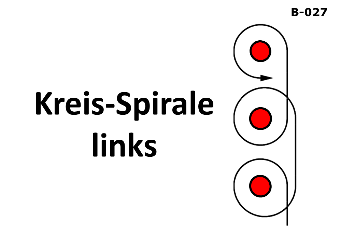
BEGINNER ×
Tipp: Halte Strg (PC) gedrückt oder tippe auf mehrere Einträge (Handy).Bestandteile

OKV_BEGINNER ×
Tipp: Halte Strg (PC) gedrückt oder tippe auf mehrere Einträge (Handy).Bestandteile
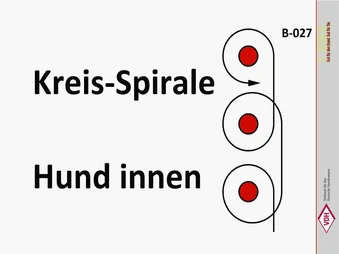
BEGINNER ×
Tipp: Halte Strg (PC) gedrückt oder tippe auf mehrere Einträge (Handy).Bestandteile

BEGINNER ×
Tipp: Halte Strg (PC) gedrückt oder tippe auf mehrere Einträge (Handy).Bestandteile

BEGINNER ×SENIOR ×
Tipp: Halte Strg (PC) gedrückt oder tippe auf mehrere Einträge (Handy).Bestandteile

OKV_BEGINNER ×
Tipp: Halte Strg (PC) gedrückt oder tippe auf mehrere Einträge (Handy).Bestandteile

BEGINNER ×
Tipp: Halte Strg (PC) gedrückt oder tippe auf mehrere Einträge (Handy).Bestandteile

BEGINNER ×
Tipp: Halte Strg (PC) gedrückt oder tippe auf mehrere Einträge (Handy).Bestandteile
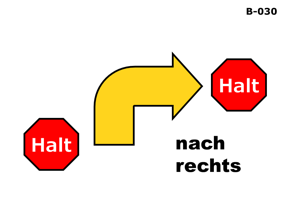
BEGINNER ×
Tipp: Halte Strg (PC) gedrückt oder tippe auf mehrere Einträge (Handy).Bestandteile
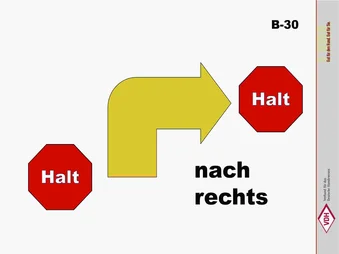
BEGINNER ×SENIOR ×
Tipp: Halte Strg (PC) gedrückt oder tippe auf mehrere Einträge (Handy).Bestandteile
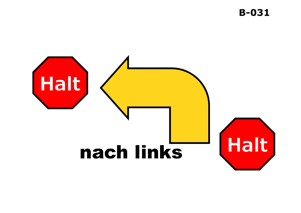
BEGINNER ×
Tipp: Halte Strg (PC) gedrückt oder tippe auf mehrere Einträge (Handy).Bestandteile
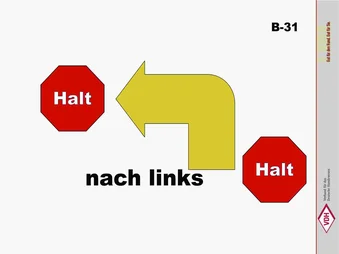
BEGINNER ×SENIOR ×
Tipp: Halte Strg (PC) gedrückt oder tippe auf mehrere Einträge (Handy).Bestandteile
BEGINNER ×
Tipp: Halte Strg (PC) gedrückt oder tippe auf mehrere Einträge (Handy).Bestandteile

BEGINNER ×SENIOR ×
Tipp: Halte Strg (PC) gedrückt oder tippe auf mehrere Einträge (Handy).Bestandteile

BEGINNER ×
Tipp: Halte Strg (PC) gedrückt oder tippe auf mehrere Einträge (Handy).Bestandteile
BEGINNER ×
Tipp: Halte Strg (PC) gedrückt oder tippe auf mehrere Einträge (Handy).Bestandteile
BEGINNER ×
Tipp: Halte Strg (PC) gedrückt oder tippe auf mehrere Einträge (Handy).Bestandteile

BEGINNER ×
Tipp: Halte Strg (PC) gedrückt oder tippe auf mehrere Einträge (Handy).Bestandteile

ALL ×
Tipp: Halte Strg (PC) gedrückt oder tippe auf mehrere Einträge (Handy).Bestandteile

ALL ×
Tipp: Halte Strg (PC) gedrückt oder tippe auf mehrere Einträge (Handy).Bestandteile
ALL ×
Tipp: Halte Strg (PC) gedrückt oder tippe auf mehrere Einträge (Handy).Bestandteile

ALL ×SENIOR ×
Tipp: Halte Strg (PC) gedrückt oder tippe auf mehrere Einträge (Handy).Bestandteile

ALL ×
Tipp: Halte Strg (PC) gedrückt oder tippe auf mehrere Einträge (Handy).Bestandteile

ALL ×SENIOR ×
Tipp: Halte Strg (PC) gedrückt oder tippe auf mehrere Einträge (Handy).Bestandteile

ALL ×
Tipp: Halte Strg (PC) gedrückt oder tippe auf mehrere Einträge (Handy).Bestandteile

ALL ×SENIOR ×
Tipp: Halte Strg (PC) gedrückt oder tippe auf mehrere Einträge (Handy).Bestandteile

ALL ×
Tipp: Halte Strg (PC) gedrückt oder tippe auf mehrere Einträge (Handy).Bestandteile

ALL ×SENIOR ×
Tipp: Halte Strg (PC) gedrückt oder tippe auf mehrere Einträge (Handy).Bestandteile
ALL ×
Tipp: Halte Strg (PC) gedrückt oder tippe auf mehrere Einträge (Handy).Bestandteile